I am a game programmer student at FutureGames in Skellefteå. I enjoy solving problems through code, build solid, engaging gameplay systems with clean code. I like to constantly push myself and my abilities in order to improve myself as a programmer and developer and the project I am working on.

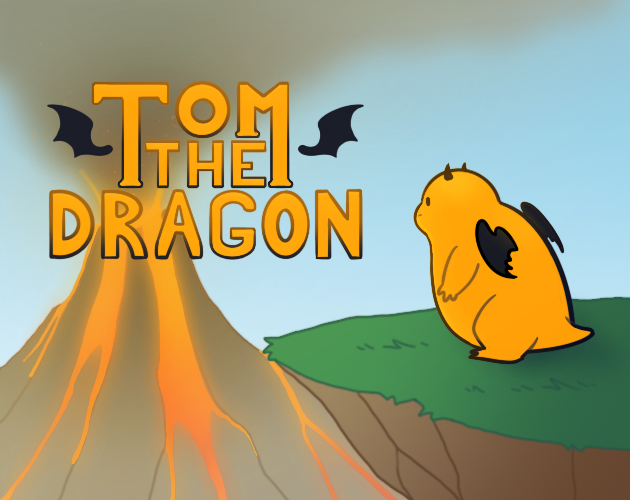
Tom the Dragon
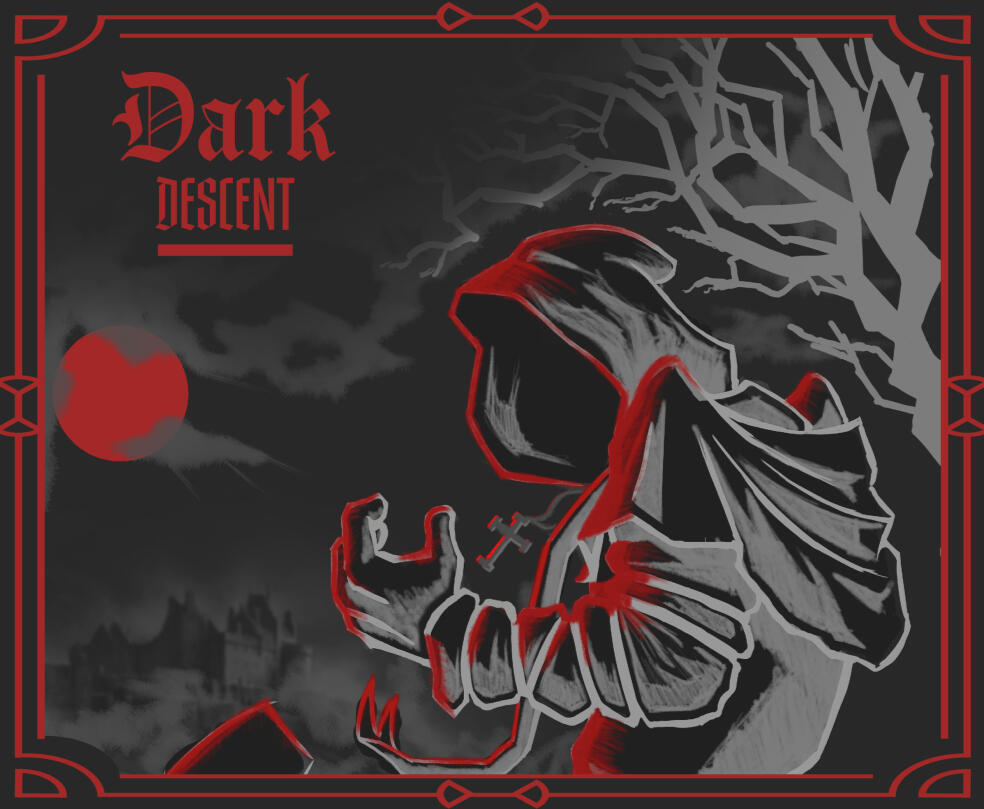
Dark Descent
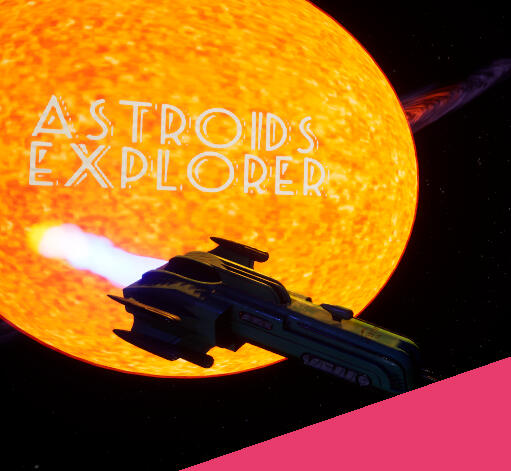
Astroids Explorer

Untitled

Greetings traveller! I’m Marcus
Greeting Traveler! I’m MarcusI am a 25 year old aspiring game programmer currently studying game programming at Future Games in Skellefteå Sweden. Over the past year I have been diving into game development through my studies. For several years I have dabbled in minor hobby game projects. Gaming has been part of my life for as long as I can remember.I would describe myself as a problem solver who is always eager to learn new things. I am constantly trying to improve my skills and competence as a programmer, I love creating gameplay systems, building and improving features while working on levelling up my skills as a developer programmer.If you want to learn more or just have a chat about games or code I would be more than happy to have a talk! You can find my information via my resume or the links at the top of the page. Feel free to reach out via social media too.
Education
FutureGames (2024-2026)
Higher Vocational Education Diploma, Game Programming
LBS Jönköping (2015-2018)
Högskolförberdande examen, Teknikprogrammet
Technical Experience
Tom the Dragon
This game is a fun and relaxing platformer designed for kids ages 7-11 was made during the FutureGame course Game Project 1. In this project I was in charge of making the user interface.
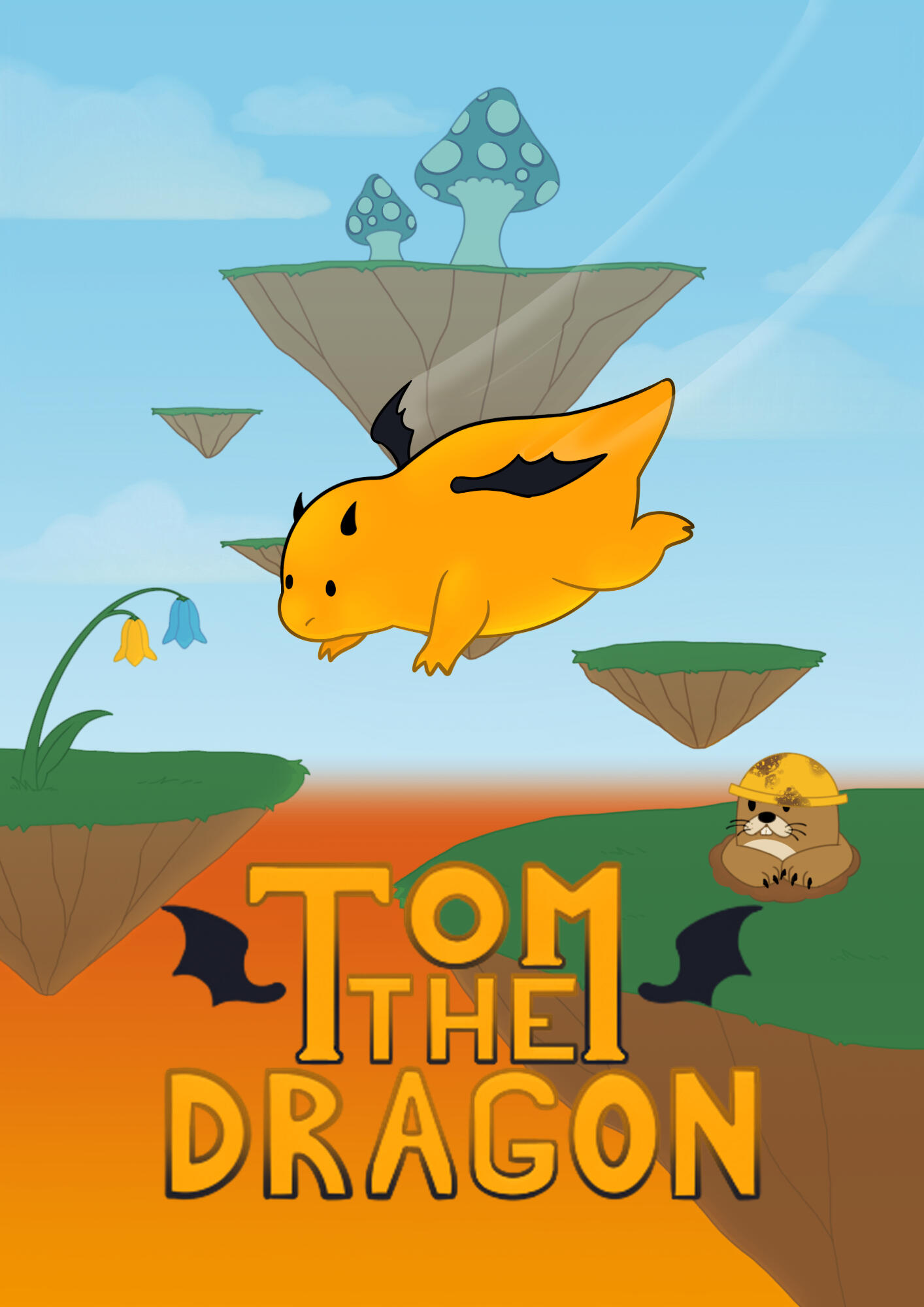
The GameTom the Dragon is a fun, relaxing 3D platformer designed for kids aged 7-11, where players take on the role of Tom, an adventurous little dragon on a mission to escape a slowly rising sea of lava! The goal is simple but exciting: climb higher and higher through vibrant, whimsical landscapes while avoiding obstacles and collecting helpful power-ups.As Tom soars up the towering cliffs, players can use special mushrooms to gain an extra boost of height, jump over obstacles, and avoid falling rocks thrown by mischievous mole miners. Along the way, they’ll collect blue flowers for a speed boost and yellow flowers for an extra high jump, all while racing against the lava's rising tide.With easy-to-learn controls, colorful environments, and playful challenges, Tom the Dragon is the perfect game to keep young players entertained while developing their timing, coordination, and problem-solving skills. Whether they’re dodging rocks, boosting through clouds, or climbing towards victory, every moment is packed with adventure!Will you help Tom escape the lava and reach the sky? The higher you go, the more exciting the journey becomes!-
Purpose
The purpose for this project was to simulate a game development work place. We collaborated across disciplines including game design, artists, animation & VFX, UX and other programmers. This was done to better understand each other's roles and improve our ability to work as a real development team
My Role
UI ProgrammerImplemented the logic and player interaction for the Main Menu and Pause Menu systems.Developed smooth and reliable scene transitions between gameplay and menus.Focused on responsive and intuitive user experience through UI programming.
The Process
Week 1
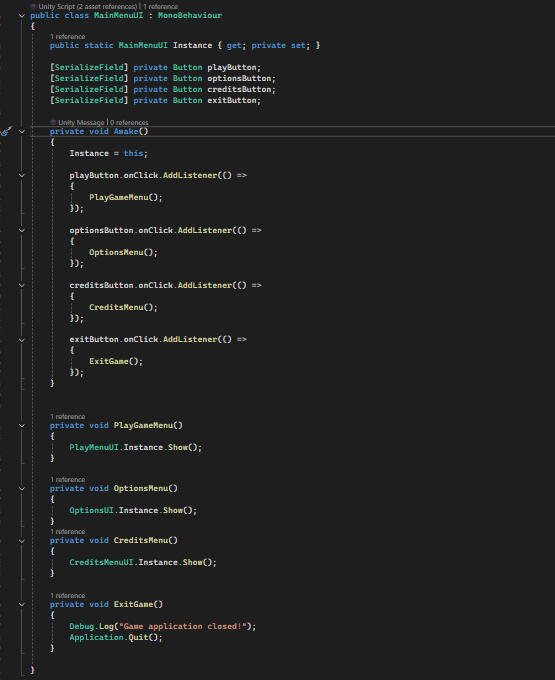
In the first few days our team focused on brainstorming the game concept and assigning roles. I took the role of UI programmer and began collaborating with the UX design team to outline the structure and behavior of the main menu and pause menu system.To work without interfering with the rest of the project during early development I created a dedicated scene for the Main Menu and Pause Menu systems. This allows me to iterate freely without conflicts with the rest of the project.
Week 3
This was the most technically challenging part of the project.
I began integrating the pause menu into the actual gameplay scene and hooking it into the GameManager and Player Controller systems. However I ran into a few issues doing so:
The Pause function in the GameManager wasn’t firing properly.
Even when triggered the pause menu UI would not respond to inputs
The Pause function in the GameManager wasn’t firing properly.
Even when triggered the pause menu UI would not respond to inputs
After significant work and debugging. I fixed the function not getting called in the GameManager, the root of the input problem. The GamePlay scene lacked an EventSystem which prevented UI elements from registering input events. Once I added that the pause menu started working as expected.I also had to adjust the UI system after the designers proposed a cinematic rotating camera for the main menu using Cinemachine. While I got the cinematic system working it was later scrapped due to time constraints.
Week 2
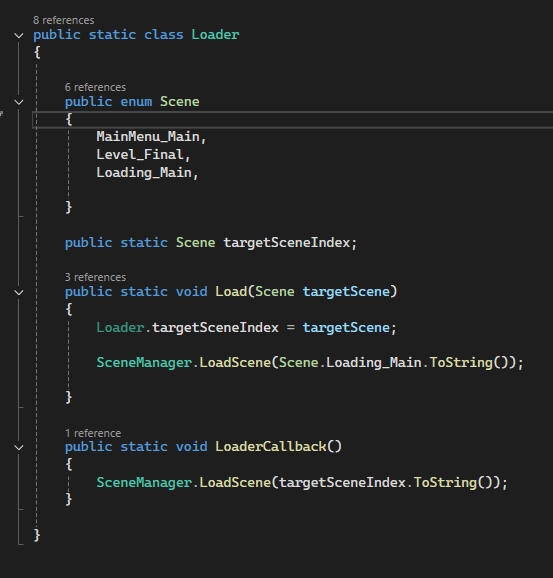
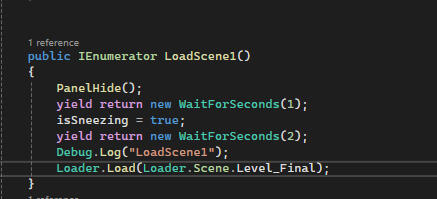
By the second week i had a completed the first version of the main menu, including:Next I developed the Loading Scene system that could be called anywhere in the game to handle smooth scene transition. The loader would store all currently built scenes in an enum and then use the loader and the enum to trigger the level to change reliably. This level could be loaded without the use of strings that are case sensitive and can easily be misspelt and index numbers that are easy to forget.
Play, Options, Exit Buttons
Basic layout and navigation logic
With that complete. I moved on to build the Pause Menu. Again using a separate scene called PauseMenu. This menu included:
Resume
Option
Exit
Next I developed the Loading Scene system that could be called anywhere in the game to handle smooth scene transition. The loader would store all currently built scenes in an enum and then use the loader and the enum to trigger the level to change reliably. This level could be loaded without the use of strings that are case sensitive and can easily be misspelt and index numbers that are easy to forget.
Week 4
The last week of development was hectic. Some features like audio sliders could not be fully connected. While the audio was added in the end there was not enough time to hook it up into the UI.There were still minor bugs in the main menu system at submission, proud of the modular scene transition system and the overall UI logic. Despite setbacks I had delivered the core functionality and helped ensure the game could be navigated between scenes cleanly.
Take Aways
This project taught me a lot. Especially about the importance of debugging UI systems and not blindly follow tutorials. Durring this project i relyed heavily on Code Mokey's. Specificly his Kitchen Caous course durring his UI and Scene loader parts. While it helped me underestand the fundations. I realized i became to dependent on them and struggled when adapting hte code to our project spesific needs.
In the Future projects I aim to focus more on understanding the "why" behind codes I write so I can solve problems more efficiently and with more independence.
The project taught me more than just making UI. It gave me valuable experience on working on a real game in collaborations with other people across disciplines.
Overall Tom the Dragon pushed me further in my understanding of game development. I taught me to solve real problems, adapt to unexpected changes, communicate better with teammates from different disciplines. I left the project stronger with my technical skills and more confidence in my programming. I now have a clear idea of how to improve myself for future projects.
Participants
The team:Johan Rosenhed - Project OwnerJoakim Andersson - QAHåvard Wullum - ProducerCharacter Team:Hugo Nykvist - Character DesignerSwastik Toprani - ProgrammerMikael Hertzberg - Character Artist/AnimatorCombat/enviroment Team:Phillip Rosin Neumaier - Game DesignerElvin Kostenius - ProgrammerMehmet Timur Gayberi - ProgrammerDimitris Fragkedakis - ArtistAhmed Matar - ArtistLevel Team:Johan Rosenhed - Level DesignerDogus Yigit Elmali - ProgrammerDimitris Fragkedakis - ArtistAhmed Matar - ArtistUI Team:Vincent Nord - UI/UX DesignerViktor Vilcans - UI/UX Designer/Game Poster and CoverMarcus Wessman - Programmer
To take damage i created a simple TakeDamage() Function.I then created a simple Ore spawn that spawned the ores in a radius around the deposit.
Then when the Deposit took enough damage its model was replaced with a broken one created with Unreal Fracture mode. Then I blueprints I added another timer that after an amount of time the debris shrink and is destroyed.
Dark Descent
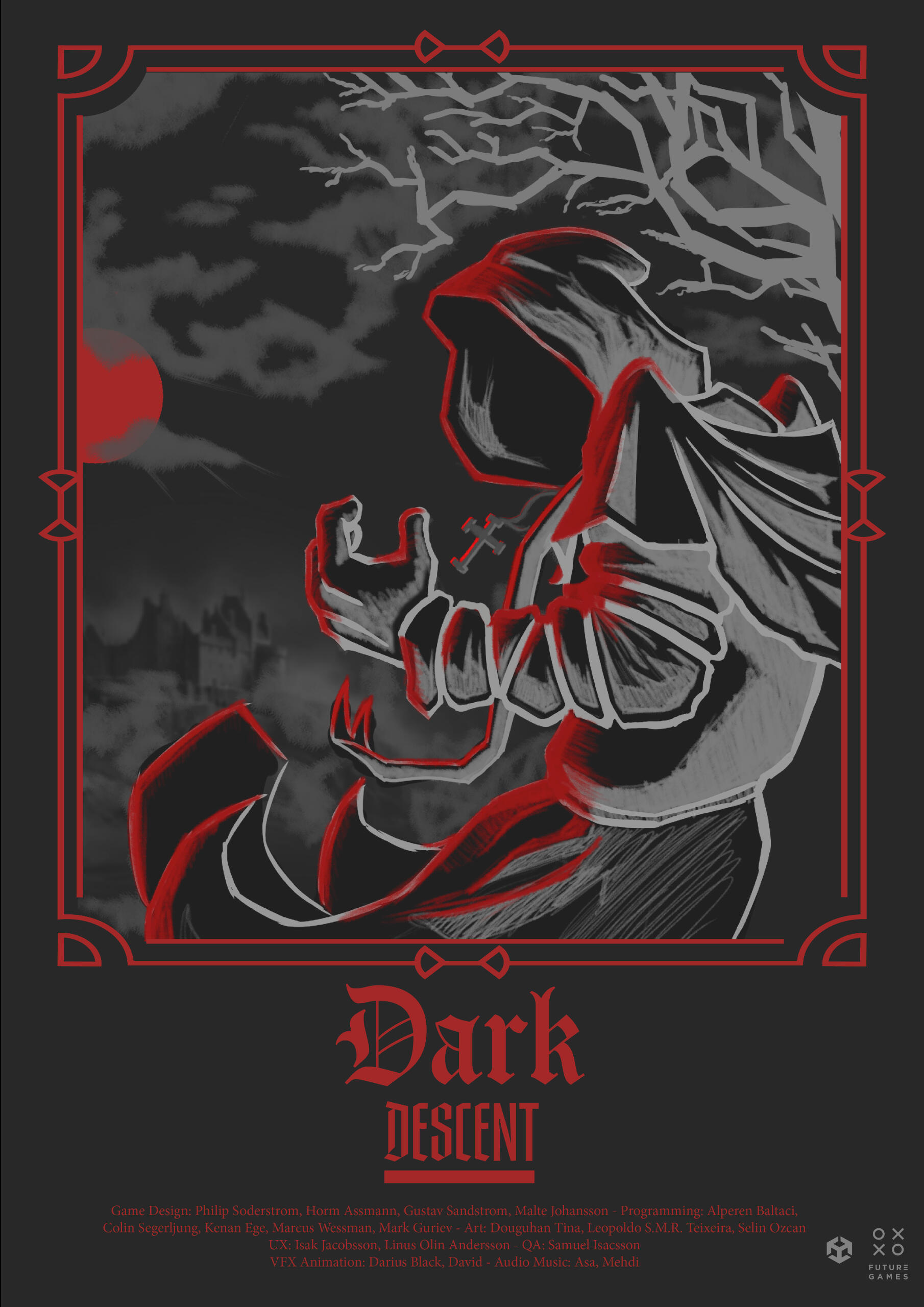
This game is a fast-pace roguelike action game set in Limbo the first layer of hell. This game was made during FutureGames Game Project 2. In this project I was responsible for for the programming the UI and Audio Systems, while also learning with FMOD
The Game
Caught between heaven and hell the Templar finds himself in limbo, fighting his way through demons and damned souls to rediscover his faith.With a snappy playstyle of hades and using the three aspects of the holy trinity as a basis for the magic system, merge Holy, Fire and Order to create greater incantations.
Purpose
The purpose of Game Project 2 was to create a playable game in Unity within 4 Weeks while collaborating with people from other disciplines. The goal was to apply the skills and experience gained form the previous Game Project 1 together with the skills acquired from the courses between. We were tasked with creating a game and narrative around the theme given in this case was “Daggerblade” We could do anything we wanted as long as the name or idea of “Daggerblade” was in some way part of the game.
My Role
UI and Audio ProgrammerDeveloped interactive UI systems, enabling seamless player input and feedback.Integrated FMOD into Unity for dynamic sound playback and control.Collaborated closely with sound designers to implement and test game audio.Assisted in prototyping and implementing the spell system for the alpha release.
The Process
UI
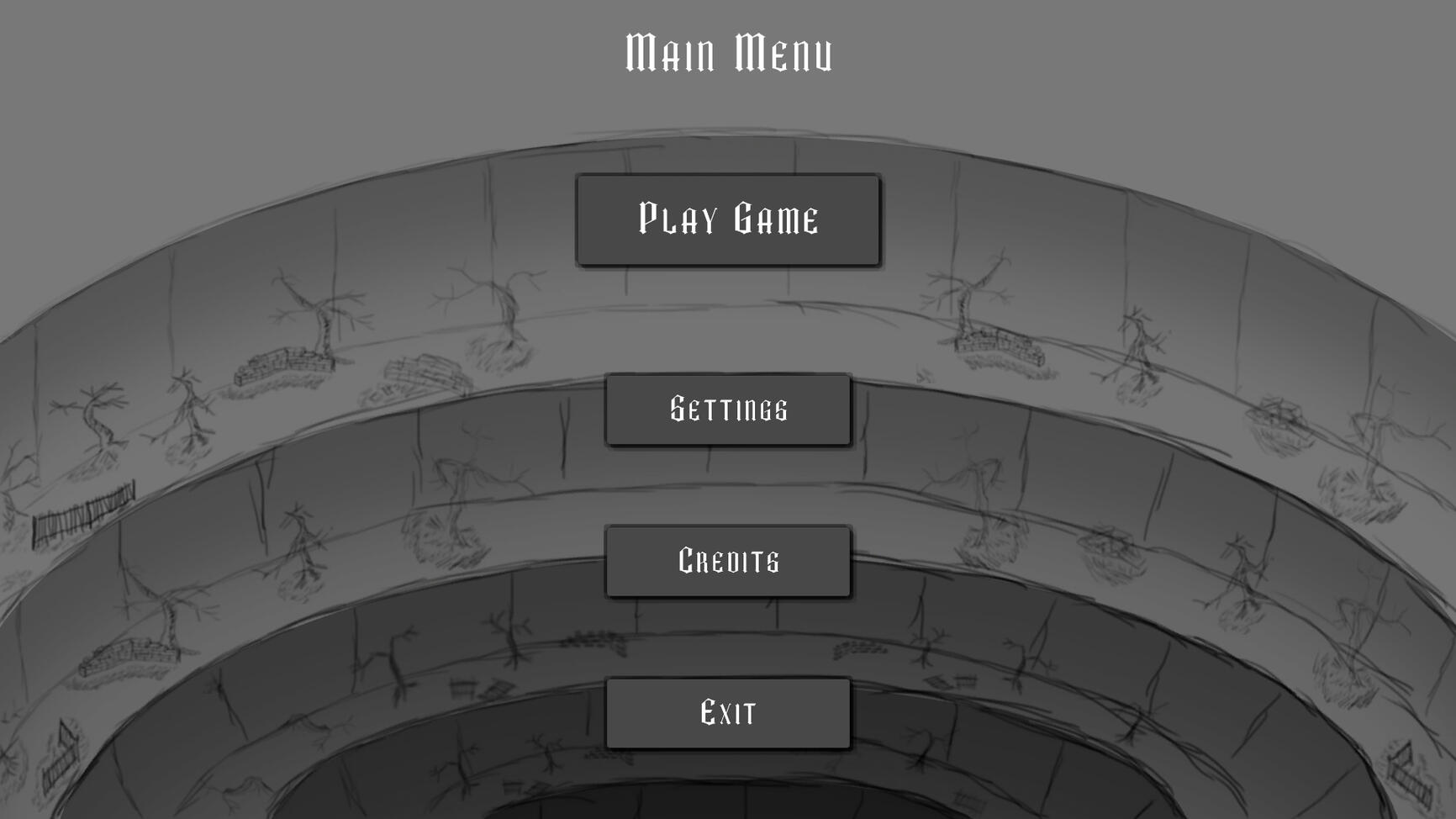
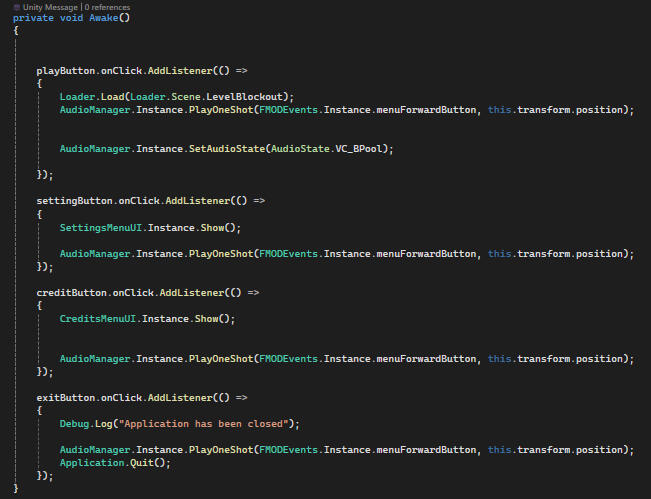
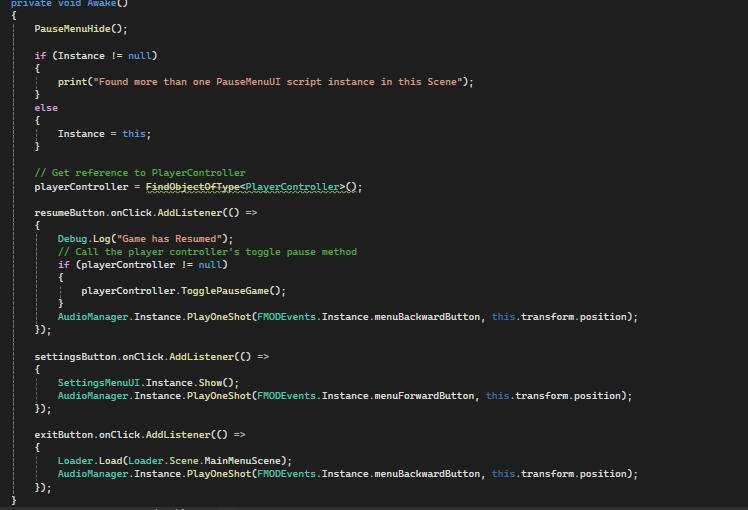
My main role was UI programmer. So i was in charge of programming the logic behind the Main menu, pause menu, Interface and Level transition. Picking up from Game Project 1 with the drive to improve my quality compared to last time. Thanks to having done this in the earlier Game Project this time it went way smoother.When making the UI i worked in my own scene and created both Menu and Pause Menu in that scene.
Audio and FMOD
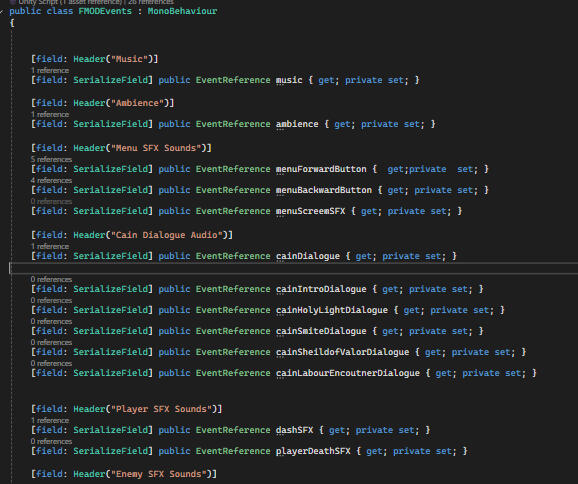
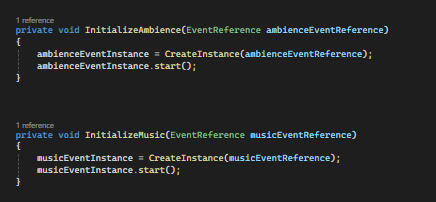
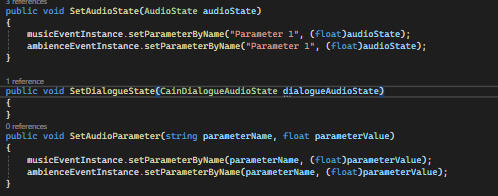
My secondary roll was to program audio together with the tool FMOD. I hade before no experience or knowledge programming Audio or using it together with the FMOD tool. But with the help of the audio designer and sound producer the audio was added and worked together seamlessly with the game. I also worked with the UI Menus so that the audio could be managed and controlled with settings.I created an FMOD Events library responsible to call and play the sounds from the FMOD files.Then I made an Audio Manager that is responsible to call on the library events and then play them when called.
Spell System
When Alpha review approached I was assigned to help with the spell system in order to help and make sure it was ready for the Alpha. So got the task of making the spell pyre blade. A spell when pressed in the players aim direction shots out a projectile. When impacting it explode hitting all other enemies in the radius
Take Aways
This project improved my skills and understanding of the importance of communication between disciplines, especially when it comes to understanding the gap between the creative ideas and technical implementation.
Valuable thing i learned this project was:
Learn and integrate FMOD
Build a better and more polished UI system compared to game project 1
Quickly identify and fix bugs and errors in a collaborative codebase
Work under a structured workflow using Jira and daily meetings to prioritize and manage tasks.
In the future I will bring these new lessons and abilities. Especially my ability to understand the intent of designers and translate that into a functional system. Better communicate limitations clearly and keep features grounded in technical and feasible player experience.
Participants
The team:Artists
Selin Özcan
Leopoldo Teixeira
Doguhan TinaDesigners
Horm Assmann
Malte Johansson
Gustav Sandström
Philip SöderströmProgramming
Kenan Ege
Colin Segerljung
Mark Guriev
Marcus Wessman
Alperen BaltaciUX Designers
Linus Olin Andersson
Isak JacobssonQA
Samuel IsacssonVFX/Animation
Darius Black
David AndronessonSound Producer
Åsa Carlson
Mehdi Foroozandeh
Astroids Explorer
GP3
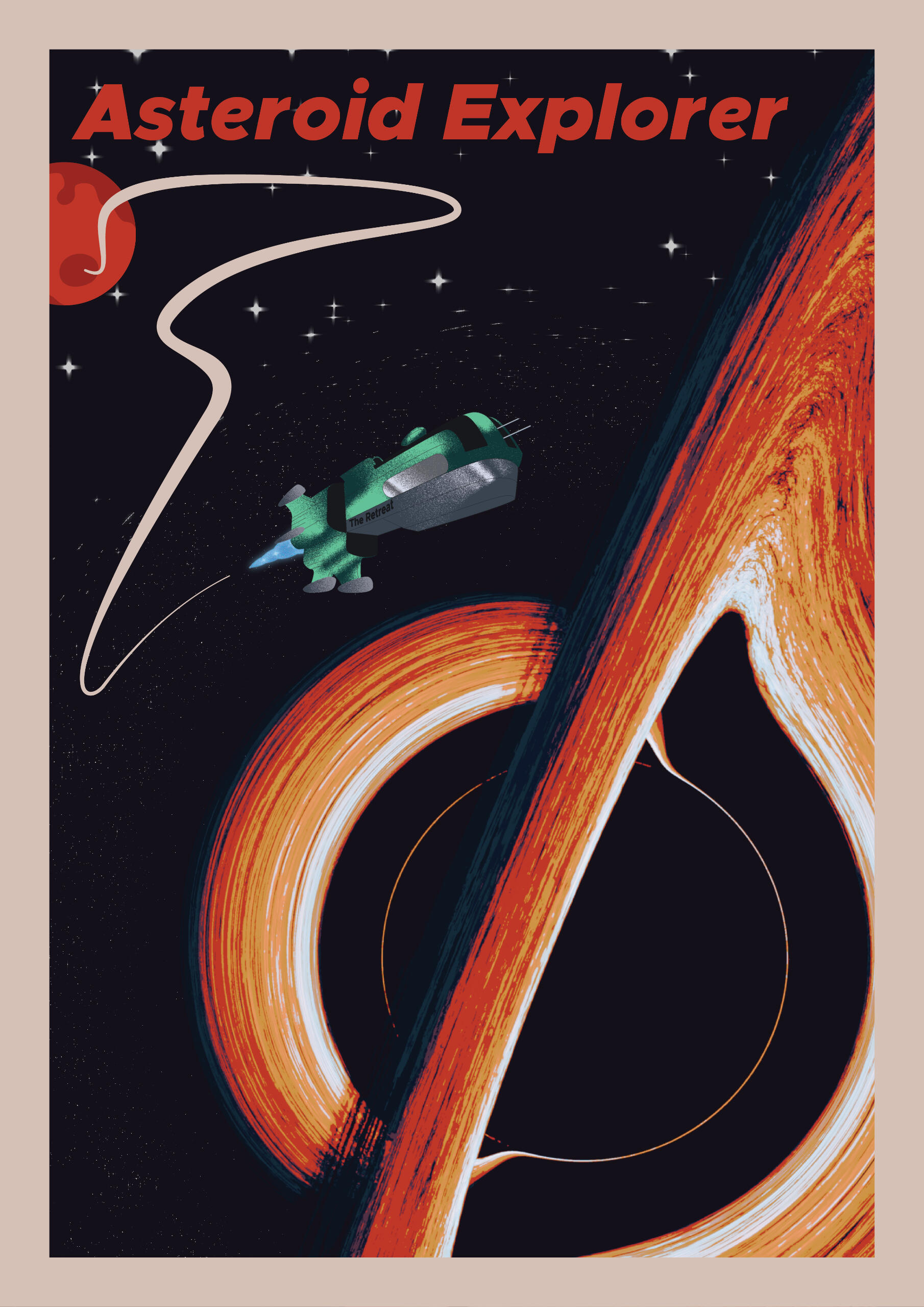
The Game
After an emergency landing on an asteroid the ship's trusted robot is sent out to collect and bring back ores to fuel their escape from an encroaching black hole.Game Overview:
With a whacky play style akin of R.E.P.O where physics is set at the forefront, use the ever expanding arsenal of the highest grade robot the roaring 50’s had to offer.Gadgets:Pickaxe - Where you move the camera the pickaxe follows in strong fashion.,
Bomb - Blow up obstruction and venture further into the space caves.,
Thruster - Fitted with a propulsion gadget, the propels the robot into soaring heights.
Purpose
The Purpose for this Game Project is similar to other game projects. simulate a game development work place. We collaborated across disciplines. Learn how to make games as a team. But this time it was made in Unreal togeather with C++. Witch i att the begining of this project only had 4 weeks of experienc with from a previous course.
My Role
My role for this project was Gameplay systems programmer. I was in charge of programming many of the core systems and features. I worked on the Blackhole, the Mining and ore system, the backpack system and the player health.
The Process
Blackhole System
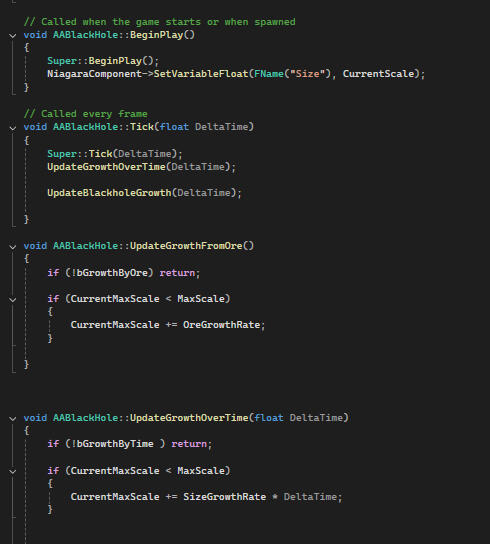
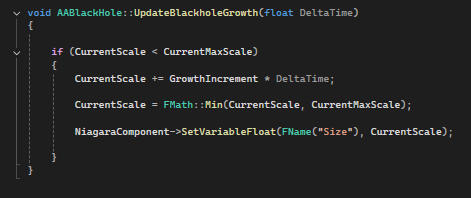
My first task in this project was the games core blackhole system. This system handled the gradual growth of a blackhole. I did this buy having the blackholes scale, CurrentMaxScale gradualy update with either the time of the game or with the Ores mined. Then have current scale constantly increas over time but never higher than CurrentMaxScale.
Mining System
In the mining system my task was to code the logic for oredeposits. Objects that when hit with the pickaxe would:
Take Damage
Drop Ores
When taken enough damage break apart
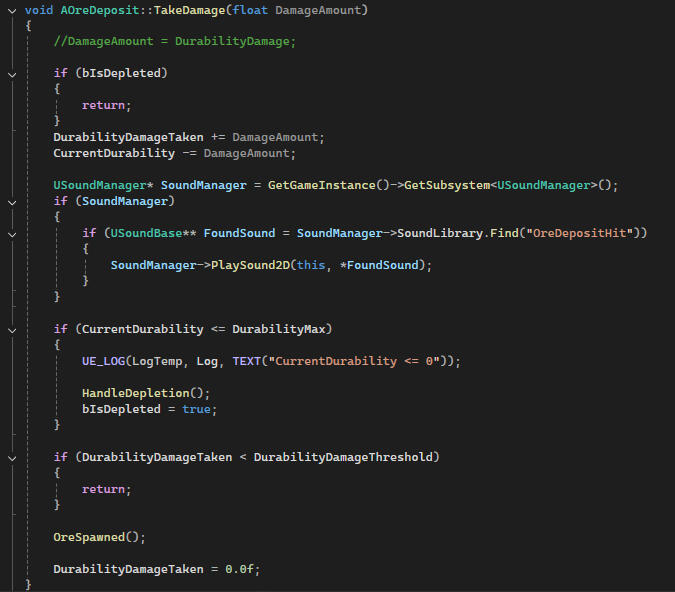
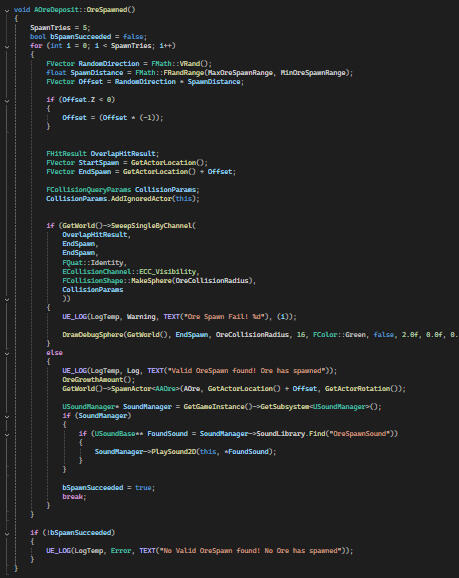
To take damage i created a simple TakeDamage() Function.I then created a simple Ore spawn that spawned the ores in a radius around the deposit.
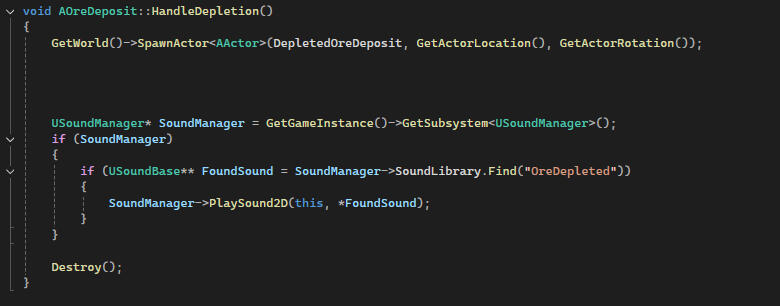
Then when the Deposit took enough damage its model was replaced with a broken one created with Unreal Fracture mode. Then I blueprints I added another timer that after an amount of time the debris shrink and is destroyed.
The ore spawning needed fixing after playtesting as its spawned inside walls, underground and inside invalid objects. To fix this I created a ore spawn sweep. This sent out test spots for the ore to spawn. if it was colliding with something then its location is invalid, do not spawn and do the check again. But if it did not collide with anything then the spawn is valid and spawn.
Backpack System
I Initially tried to keep the backpack physically attached to the player’s back and simply freeze its position when the mode was activated. However syncing the backpack’s position during camera rotation led to several bugs and inconsistencies.After troubleshooting and receiving mentor guidance, I adopted a new approach:
I Initially tried to keep the backpack physically attached to the player’s back and simply freeze its position when the mode was activated. However syncing the backpack’s position during camera rotation led to several bugs and inconsistencies.After troubleshooting and receiving mentor guidance, I adopted a new approach:
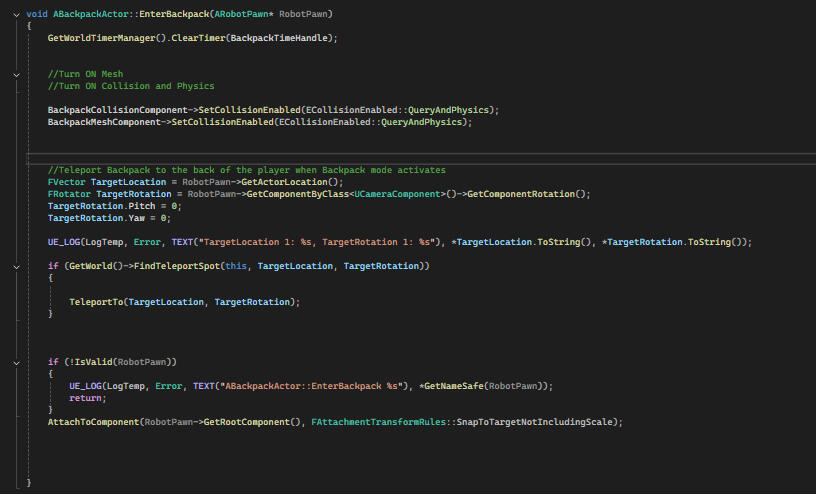
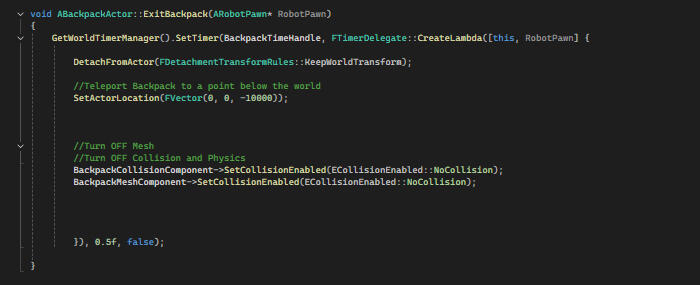
The backpack was teleported below the map when not in use.
When activated, it teleported in front of the player at a fixed position and orientation.
This method removed syncing issues and worked reliably through multiple states and transitions.
While I was proud of this solution the feature was later redesigned. The manual placement mechanic was removed in favor of automatic ore absorption the ores were now collected instantly upon collision with the player, removing the need for camera rotation and manual placement.
Although the redesign meant scrapping the more complex system I had built, the process taught me a lot about iteration, feature scoping, and adapting to evolving design goals all essential parts of real-world game development
Health Component
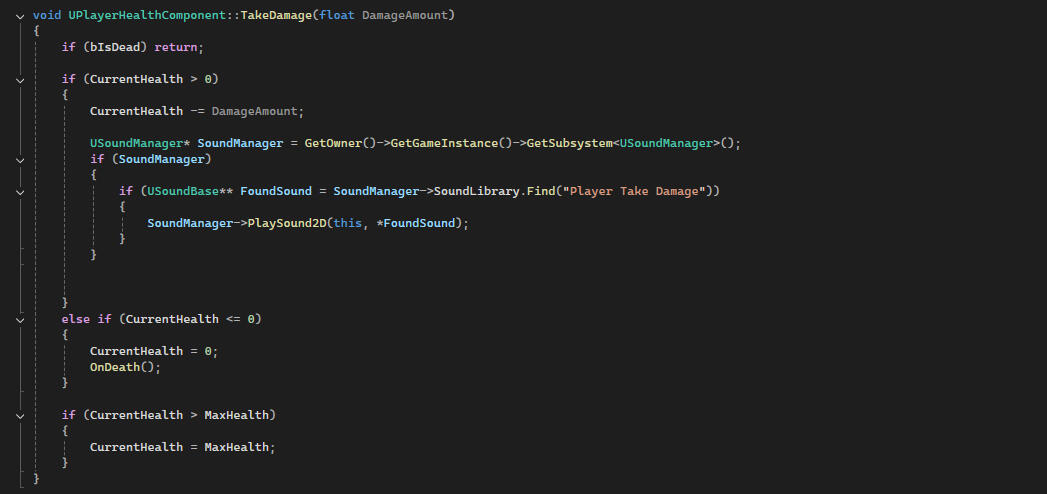
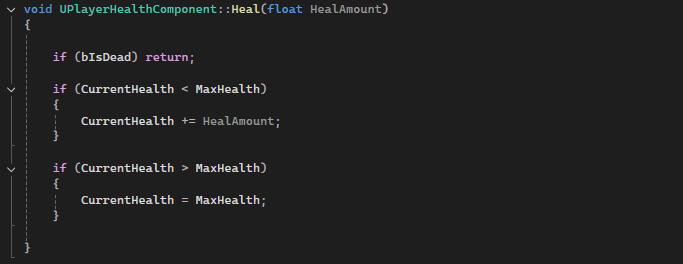
This was by far the simplest task and only took me an afternoon. All I had to do was create a PlayerHealth component to the player. All it contains is player TakeDamage() function and a Health() Function
Take Aways
Working on Asteroid Destroyer was a major step forward in my journey as a game programmer. It pushed me to step outside my comfort zone and tackle systems that were new and unfamiliar from implementing gameplay logic in Unreal Engine 5 with C++, to working with visual effects in Niagara, to designing more modular and reliable code structures.One of the biggest lessons I took from this project was the importance of adaptability. I spent a lot of time building a complex backpack system that ultimately had to be redesigned. While that was initially frustrating, it helped me understand how often features change in real-world development, and how vital it is to stay flexible and solution-focused.I also learned:
How to debug and test reliably in UE5, especially with scene transforms and UI logic
The value of separating development work into isolated test environments, like debug scenes.
That tutorials are a good starting point but deep understanding comes from trial, failure, and rebuilding
How to collaborate and communicate with teammates from other disciplines under tight deadlines
Overall, this project made me a more confident Unreal and C++ programmer, and gave me real insight into what it means to be part of a game development team dealing with change, solving real problems, and delivering something together.
Participants
The team:Artists
Nil KocDesigners
Isak Söderqvist
Michał Kowalczyk
Hugo Nykvist
Philip SöderströmProgramming
Serkan Tulunay
Dileep Pazhanan
Fabian Bogegård
Marcus WessmanUX Designers
Vincent NordQA
Alexander MalmVFX/Animation
Hannes DahlbergSound Producer
Åsa CarlsonProducer/Product Owner
Aman Morya